
Hosting on IPFS without running a server
Pin your site to IPFS
I looked at the available options.
A note on IPNS
ipns.dev is dead. The domain has lapsed and is now available for $10.81/year, and the other
two links from the announcement are broken in other ways (SSL_ERROR_UNRECOGNIZED_NAME_ALERT for
pin.namesys.xyz, "We're having trouble accessing your IPFS content right now."
for ipns.eth.limo).
As for the rest - it's a long story and I'll explain it later, but they don't work well either, at least for free.
Your other options are:
-
Publish IPNS from GitHub Actions: pin your build to any plain IPFS service, then run
ipfs name publishin a scheduled workflow (every 12 hours or so) to re-broadcast the record before it expires from the DHT. -
Use DNSLink (which is still accessed through
your-gateway.com/ipns/[site]) - Skip IPNS, make your own CID pointer
Storacha
☠️ dead, merged into Filecoin. If you try anyway, you'll find communities filled with spam and a Account identified by did:mailto:whateverdomain:whateverusername is blocked message seemingly triggered by DISABLE_CUSTOMER_REGISTRATION.
Eternum
☠️ dead. Used to be a neat service where you could pay to pin files!
Hello,
Yes, Eternum is defunct, sadly.Thanks,
Stavros
(from Stavros Korokithakis at Stochastic Technologies)
Pinata
Free
No .car uploads
1GB storage, 0.5k files
10GB bandwidth, 10k requests
$20/mo
1TB storage, 5M files
0.5TB bandwidth, 1M requests
$100/mo
5TB storage, 10M files
2.5TB bandwidth, 5M requests
⚠️ No IPNS, in favor of blockchain-powered IPCM
✅ Gives you folder CIDs
Useful!
Filebase
Free
✅ 1 IPNS name but it doesn't matter since you ⚠️ can't get CIDs for buckets yet
1 gateway
$20/mo
100 IPNS names
1 gateway
$100/mo
1000 IPNS names
5 gateways
$500/mo
Unlimited IPNS names
10 gateways
Free tier is near useless.
ipfs.ninja
Free
No IPNS
1GB storage, 5GB monthly bandwidth, 100 files
$5/mo
✅ 3 IPNS names, 50 publishes/mo
100GB storage, 200GB monthly bandwidth, 1k files
$29/mo
10 IPNS names, 1000 publishes/mo
1TB storage, 1TB monthly bandwidth, unlimited files
⚠️ Vibe coded
⚠️ GitHub sign up is broken
✅ As of May 5 2026, allows "snapshotting" folders into content IDs
You can contact them with their ticket system or info@ipfs.ninja, even though the
pricing page says otherwise.
Lighthouse
Free
No IPNS
$12/mo
No IPNS
$49/mo
✅ IPNS
Lifetime
No IPFS, no IPNS (just Filecoin)
In case it turns out IPNS is accessible in other ways, I'll update this section.
⚠️ Vibe coded
✅ Gives you folder CIDs but it doesn't matter since it ⚠️ takes forever to do "CID push to miners in progress" since it relies on Filecoin
Near useless since it doesn't publish to IPFS.
4EVERLAND
Free (7 days)
1GB IPFS available
✅ IPNS available, no API
Free (activated)
⚠️ Requires "on-chain identity registration and account activation"
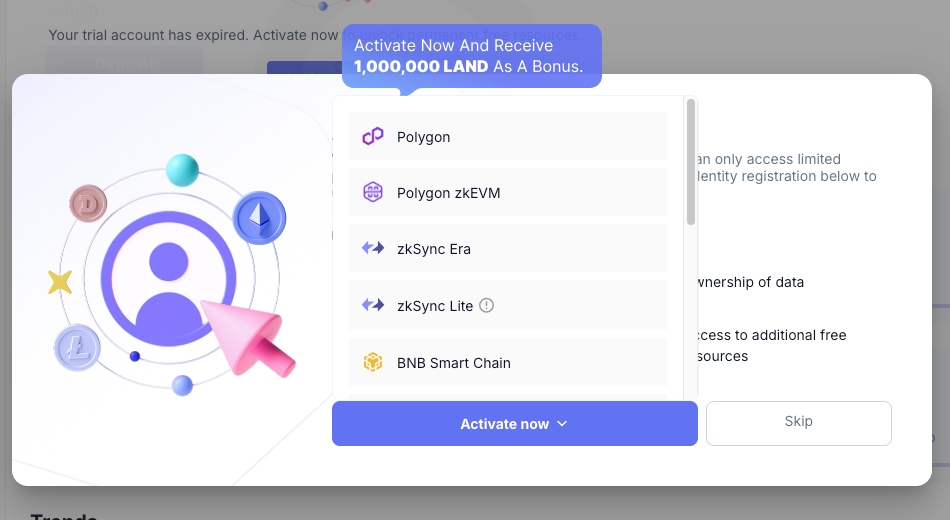
5GB IPFS available
IPNS and API available
❓ Not sure if folder CIDs are available
Without becoming a Web3 bro, near useless.
Only one makes it easy to pin a whole folder/site: Pinata.
Make a free key and save it to PINATA_JWT. Then start writing a GitHub workflow
like this:
name: Deploy
  on:
    push:
      branches: [main]
    schedule:
      - cron: '0 0,12 * * *'
    workflow_dispatch:
  jobs:
    deploy:
      runs-on: ubuntu-latest
      # You'll add environment here later
      steps:
        - name: Checkout
          uses: actions/checkout@v4
        - name: Set up Node
          uses: actions/setup-node@v4
          with: { node-version: latest }
        # Fill this in with your build setup
        # - uses: pnpm/action-setup@v4
        #   with: { version: latest }
        # - run: pnpm install
        # - run: pnpm build
        - name: Upload to IPFS
          env:
            PINATA_JWT: ${{ secrets.PINATA_JWT }}
          run: |
            node --input-type=module -e "
              import { readFileSync, readdirSync, writeFileSync } from 'fs';
              import { join, relative } from 'path';
              const files = [];
              function walk(dir) {
                for (const e of readdirSync(dir, { withFileTypes: true })) {
                  const p = join(dir, e.name);
                  if (e.isDirectory()) walk(p); else files.push(p);
                }
              }
              walk('dist');
              const form = new FormData();
              const folder = 'deploy-' + Date.now() + '/';
              for (const f of files) {
                form.append('file', new Blob([readFileSync(f)]), folder + relative('dist', f));
              }
              form.append('pinataMetadata', JSON.stringify({ name: 'deploy-' + Date.now() }));
              const res = await fetch('https://api.pinata.cloud/pinning/pinFileToIPFS', {
                method: 'POST',
                headers: { Authorization: 'Bearer ' + process.env.PINATA_JWT },
                body: form,
              });
              const json = await res.json();
              if (!json.IpfsHash) { console.error(JSON.stringify(json)); process.exit(1); }
              writeFileSync('/tmp/cid', json.IpfsHash);
            "
        # You'll add IPNS here later
Give it a stable URL
Changing content changes its content ID (CID), but you probably don't want its URL to also
change. The simplest fix is to use IPNS. Set IPNS_KEY to 32 random hex bytes and add this step:
- name: Point IPNS
  id: point
  env:
    IPNS_KEY: ${{ secrets.IPNS_KEY }}
  run: |
    echo "url=$(npx point-ipns $(cat /tmp/cid))" >> $GITHUB_OUTPUT
And to show where it was deployed, add this right before steps:
  environment:
    name: ipfs
    url: ${{ steps.point.outputs.url }}
Other options involve changing your README to always include the latest CID, or using DNSLink (changing your DNS to always point to the latest CID).
Access it
This section was boring when I first wrote this article - I just said to go to https://ipfs.io/ipns/[key hash or domain] or https://ipfs.io/ipfs/[CID]. But sometime in May 2026, ipfs.io and dweb.link turned into redirects to inbrowser.link, leaving you out of luck if you need
service workers. Maybe look at this list of 15 gateways - one might work for you.